

Your Smart Home Devices Are Using Default Passwords. Here's the Fix.
Millions of families are installing smart home devices without changing factory-set passwords, leaving their homes vulnerable to hackers and intruders.
Source
GetCyberRight Intelligence
Original headline: Smart Home Default Password Myth
Plain-English summary by GetCyberRight. Read the full report at the source above.
The Problem No One Talks About
Smart home devices are flying off shelves as families embrace the convenience of connected doorbells, cameras, plugs, and voice assistants. But there's a critical security step most people skip: changing the default password. That oversight is turning convenient homes into vulnerable ones, giving hackers an easy entry point into your private network.
The Details
When you buy a smart doorbell, security camera, or WiFi-enabled plug, it comes with a factory-set password. This password is often something simple like "admin" or "password" or even just "12345." Manufacturers use these generic credentials so you can set up the device quickly.
Here's the problem: these default passwords are publicly available. Anyone can search online for your device model and find the factory password in seconds. Hackers use automated tools to scan neighborhoods for smart devices, then try these known default passwords until something works.
Once they're in, they can watch your camera feeds, unlock smart locks, access your home network, or use your devices to launch attacks on others. The setup takes five minutes, but many families never revisit the security settings after that initial installation. The device works, so it feels secure. It's not.
Who Is Affected
This affects any household with smart home technology. If you have a video doorbell, smart thermostat, WiFi security camera, connected light bulbs, smart plugs, or voice assistants, you need to check your passwords.
Families with children face additional risks. Kids' bedrooms often have baby monitors or cameras that parents use for peace of mind. If these devices still use default credentials, strangers could potentially access those video feeds. Seniors who have adopted smart home tech for safety and convenience are equally vulnerable, especially if they're not comfortable navigating device settings.
What You Should Do Right Now
Make a list of every smart device in your home. Include cameras, doorbells, plugs, thermostats, locks, speakers, and anything connected to WiFi.
Stay one step ahead of scammers
Weekly cybersecurity briefings for families. No spam, just the threats that matter and what to do about them.
Look up how to change the password for each device. Search "[your device name] change password" or check the instruction manual. Most devices let you do this through their mobile app.
Create a unique, strong password for each device. Use a combination of letters, numbers, and symbols. Write them down in a secure place if needed. Don't reuse passwords across devices.
Enable two-factor authentication if available. Many newer smart home devices offer this extra security layer. Turn it on wherever possible.
Check for firmware updates. While you're in the settings, update your device software. Manufacturers often patch security vulnerabilities through these updates.
The Bigger Picture
Smart home technology isn't going away. It's becoming standard in modern households. But convenience without security creates risk. As more devices connect to our home networks, each one becomes a potential entry point for attackers. Staying informed about these vulnerabilities helps you enjoy the benefits of technology without exposing your family to unnecessary danger.
How GetCyberRight Can Help
Our Cyber Threat Radar tool tracks emerging vulnerabilities in IoT devices and provides device-specific security guidance for families. It translates technical security bulletins into plain language action steps, so you know exactly which of your devices need attention and what to do about it. Think of it as an early warning system for your connected home.
Curated from trusted cybersecurity sources by GetCyberRight
Source: GetCyberRight IntelligenceStay ahead of cyber threats
Get our free weekly digest. Real threats, plain language, what to do about them. No spam, ever.
More articles

New Ransomware Spreads Like Wildfire Across Home Networks
The Gentlemen ransomware can jump between devices on its own, meaning one infected computer could threaten your entire household.
4 min read
Spotify's Hidden Scam: Fake Podcasts That Push Illegal Drugs
Congressional report reveals thousands of fake Spotify podcasts designed to trick listeners and promote illegal pharmacy sites through manipulated search results.
3 min readScammers Used Fake Spotify Podcasts to Game Google Search Results
Tens of thousands of fake podcasts flooded Spotify to manipulate search rankings and lead people to illegal pharmacy sites. Here's what families need to know.
3 min read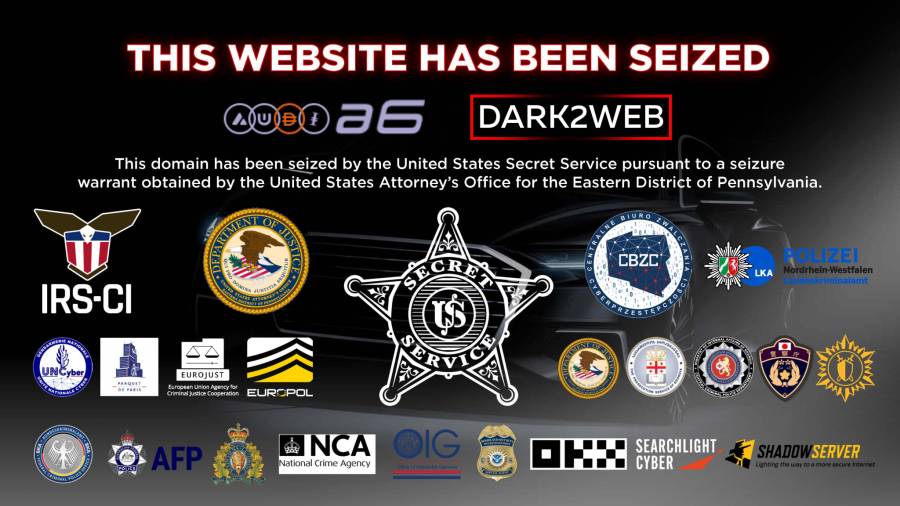
Police Shut Down Major Criminal Money Laundering Service: Why This Makes You Safer
International law enforcement closed a service that helped ransomware criminals hide stolen money. This disrupts cybercriminals who lock people out of their computers and demand payment.
2 min read